Directional Wayfinding
Role: Lead UX Designer
User Research, Information Architecture, Interaction, Prototyping, Visual Design & User Testing
Date:
2021-Present
Project Overview
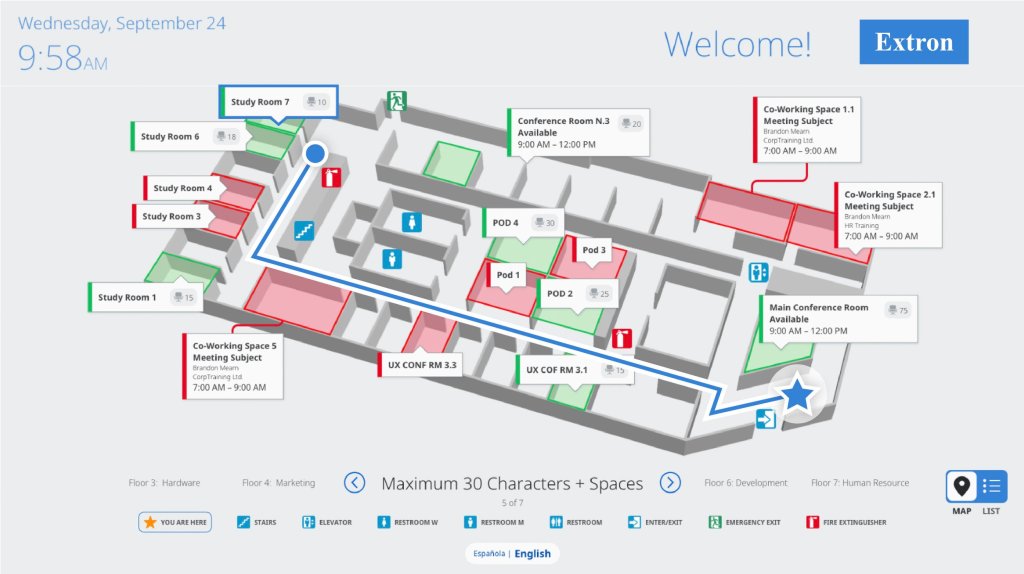
The goal of this project was to add point to point navigation with optional text directions to an existing wayfinding interface. This includes designing workflows for creating and updating the paths and directions from point to point.
I joined this product team after the initial wayfinding release. This version delivered a partial wayfinding solution, but it left several user problems unsolved. The designs described in this case study will implemented as part of the next major release.
More context via Extron Room Scheduling
Room Agent Software
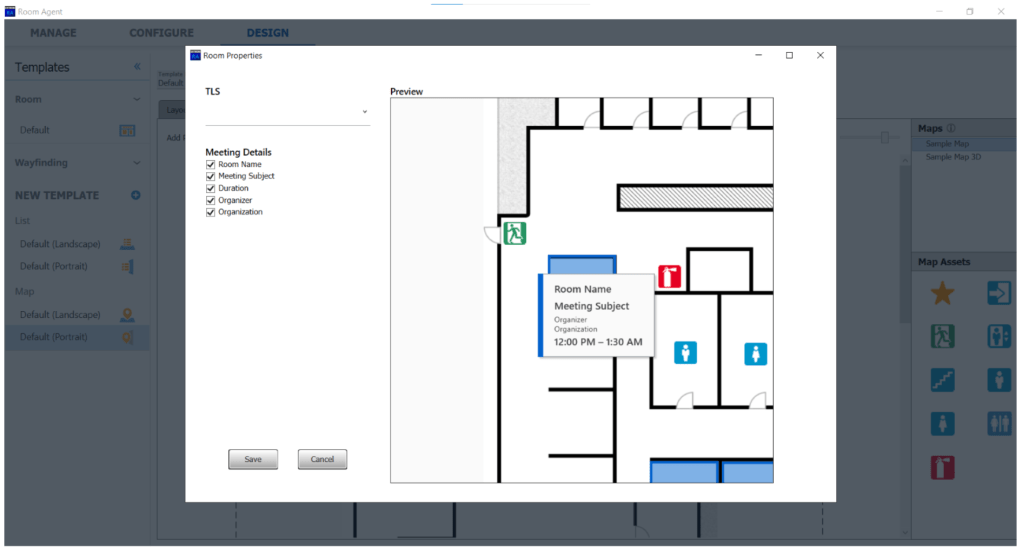
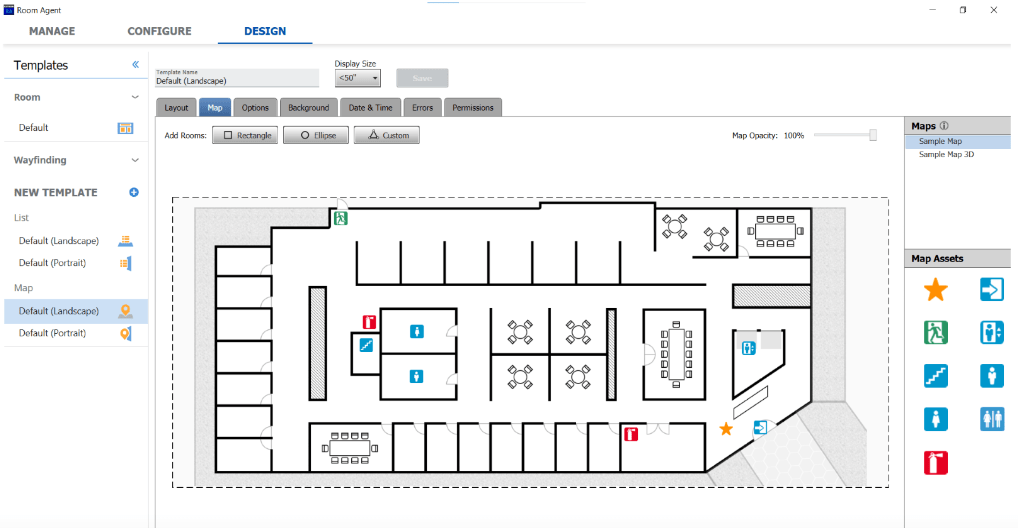
All Room Scheduling panels and the Lobby Display are configured in Room Agent.
- Customization options allow a variety of fields and metadata to be shown or hidden per panel, depending on user preference
- There are additional configuration options for Lobby Display
- The initial release enabled users to add rooms and sync them with a Room Scheduling panel

Lobby Display
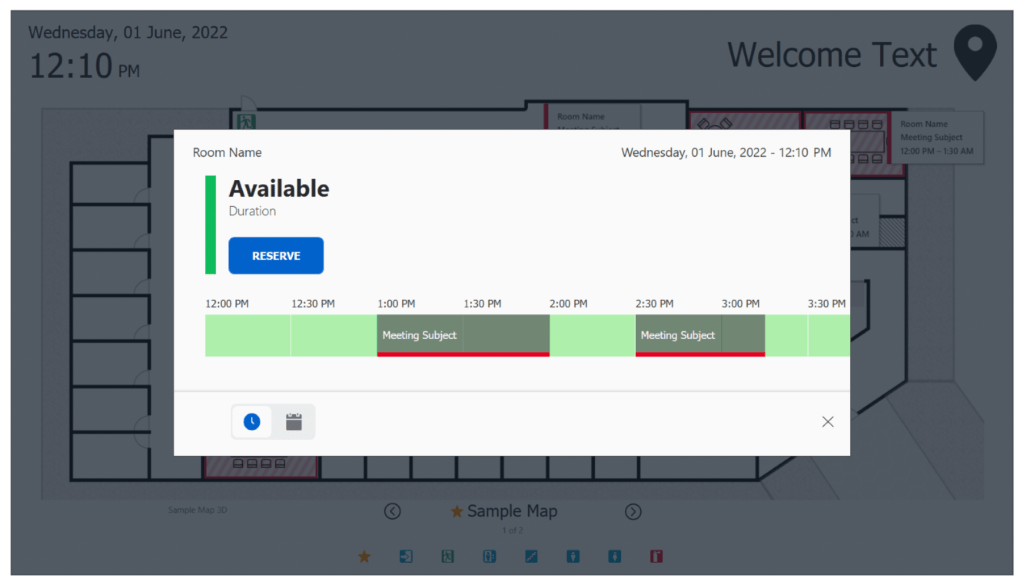
Connecting directly to Extron’s Room Scheduling panels, the Lobby Display provides real-time meeting space availability, status, and location information via a centralized location.
- The initial release enabled users to locate and book meeting spaces for the day or week on an interactive list or map



Empathize
User Feedback
The following feedback was collected via internal users, external users, and from our colleagues in Product Marketing:
End Users
- People love being able to find/reserve a room from a central display
- BUT, adding a floor map isn’t the same things as wayfinding
- Sometimes people need point to point (AKA turn by turn) directions
- Directions could be shown as an animated path between two points
- Or they could be shown as text
- Or they could be both
- Many people would prefer to access these directions from their mobile device
- These directions become more important in buildings with multiple floors or on a campus with multiple buildings
- Sometimes people need point to point (AKA turn by turn) directions
Admin Users
- Admins like the simplicity of Room Agent
- The basic configuration options do not require AV domain expertise
- Many people describe it as “set and forget”
- Admins do not regularly use Room Agent
- The initial setup and configuration could be performed by an Integrator during deployment and not used by an onsite employee until something goes wrong
- Any new functionality needs to be intuitive or at least learnable
- Many Admins feel like they are “treading water” and barely have time to complete their day to day tasks
- Larger projects like this may need to be done in chunks
Define & Ideate
In order to give End Users what they want and need, we had to design robust workflows that would quickly enable Admin users to generate directions. We created this basic set of requirements to help guide our initial ideation:
- Admin will have the ability to create routes from the YOU ARE HERE icon to any location on the same map.
- The SW will have the ability to display the shortest route between 2 selected points.
- Admin will have the ability to reference routes/points added.
- Admin will have the ability to edit/update/delete any point or route created.
- Admin will have the ability to preview any route in Room Agent.
- Admin will have the ability to “turn off” routes or parts of routes.
Interaction Model
Given the problems our Admin users are currently facing, UX had a few clear goals for generating point to point directions:
- The workflow should be intuitive and should provide contextual help where needed
- The workflow should be streamlined and allow users to get a lot done in a short period of time
- The workflow should be progressive, allowing users to build off of the work they have already completed
Our Hypothesis
More work now = less work later!
- Allowing users to define where a person can’t walk (the walls), will enable the system to algorithmically generate the shortest path between points.
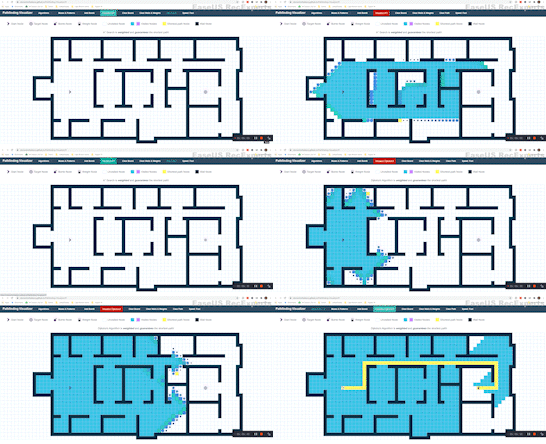
Step 1: Creating Boundaries


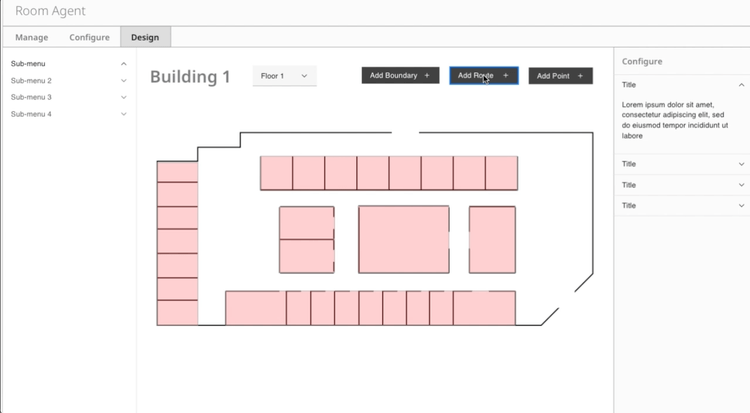
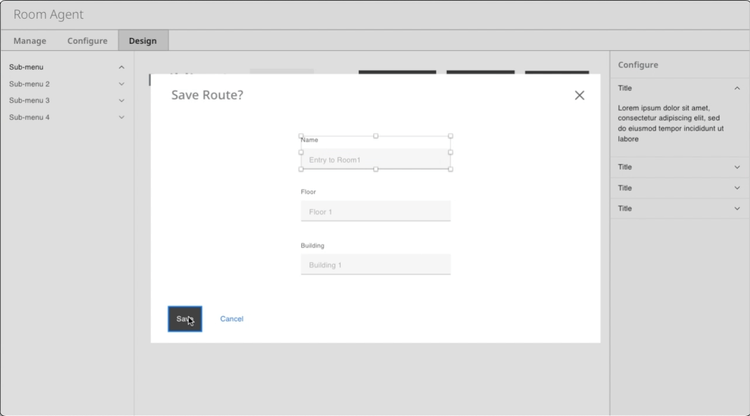
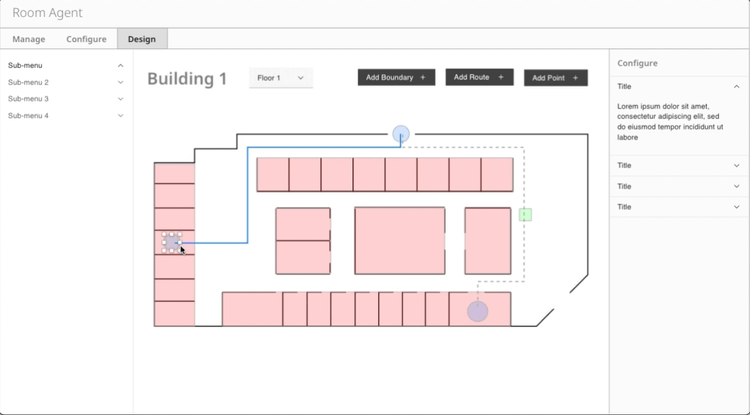
Step 2: Creating Routes
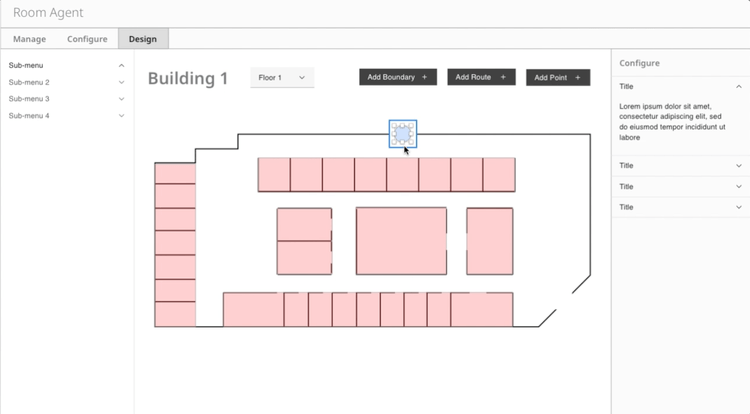
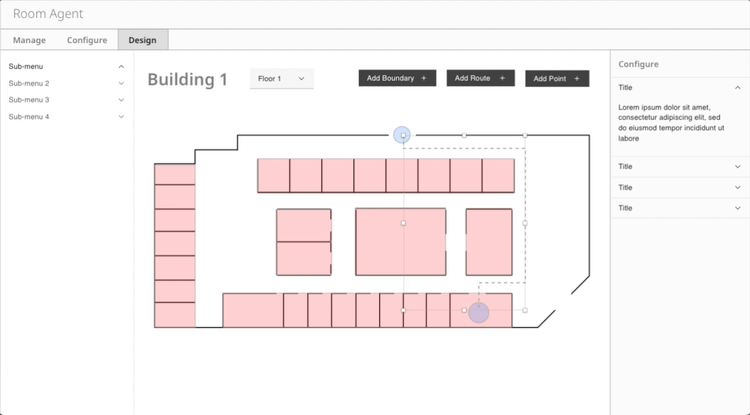
Engineering POC
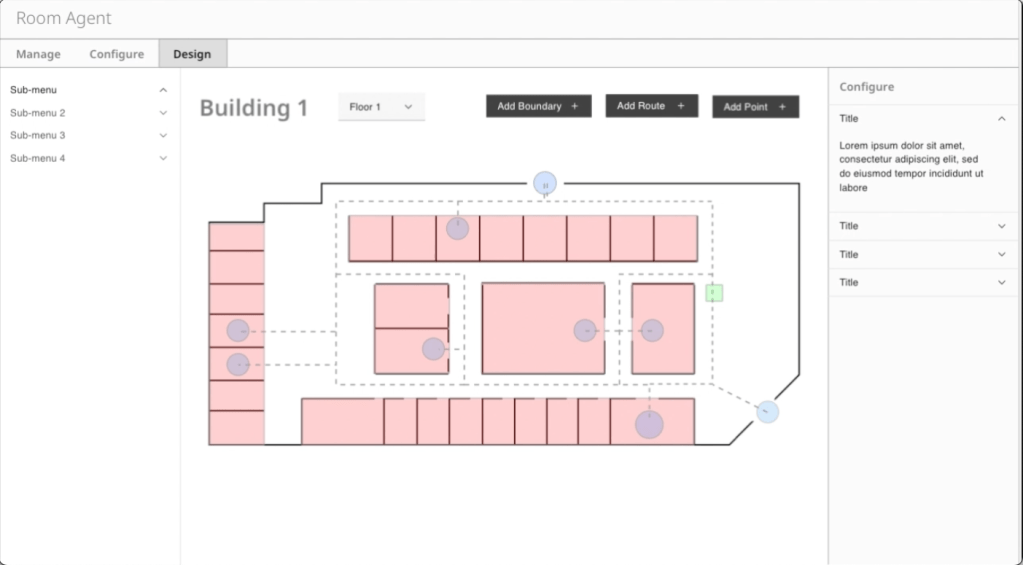
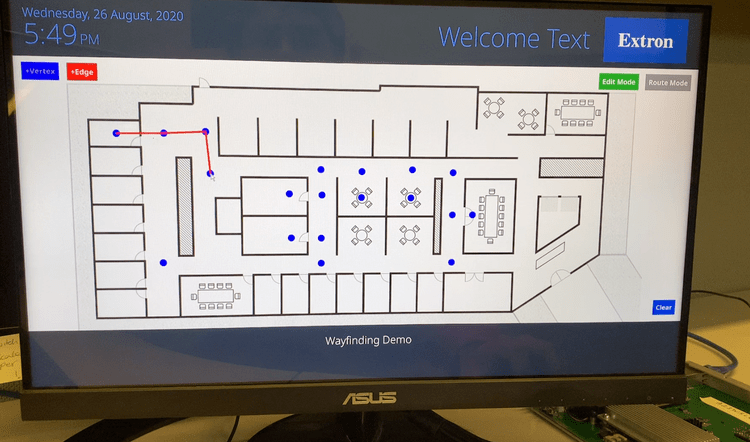
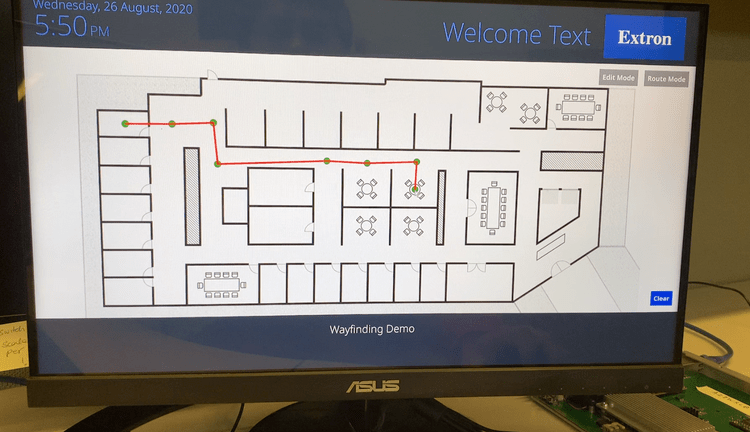
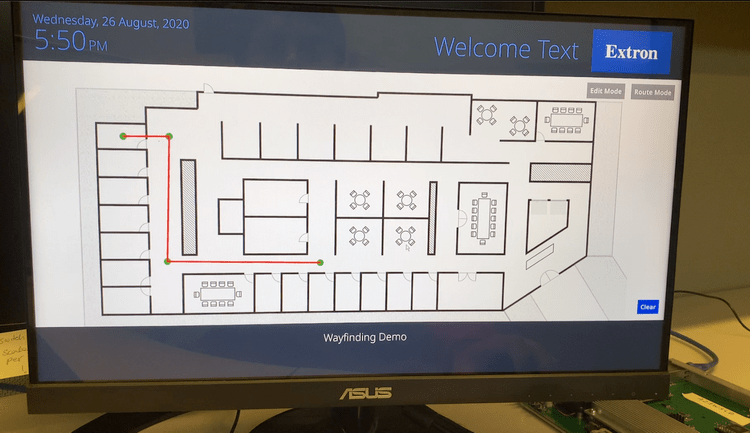
As UX was ideating, Engineering built a proof of concept for creating point to point directions on their own. Their prototype was built on the exact opposite mental model; Admins specify where users can walk (paths).
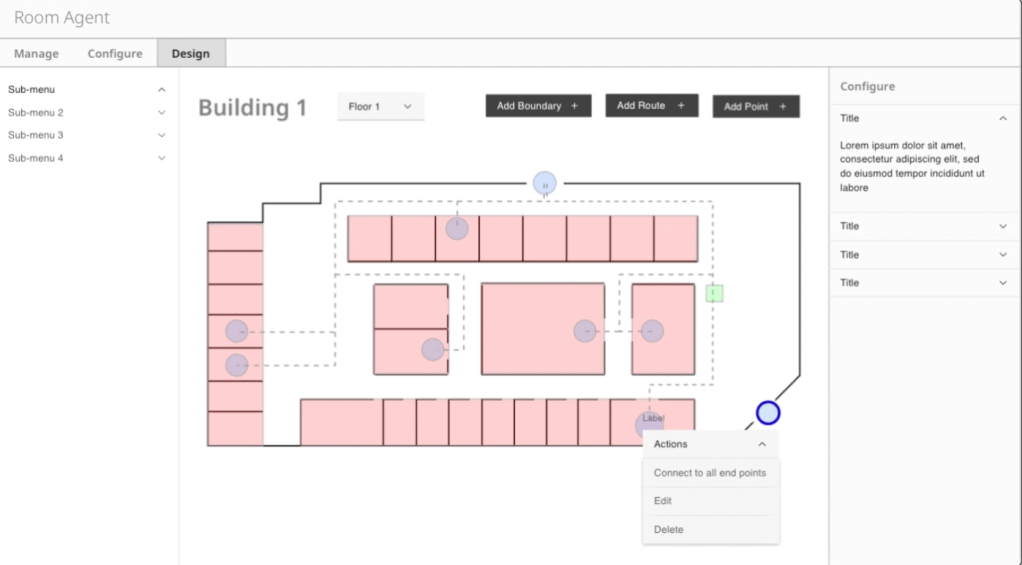
Step 1: Add & Connect Points (Edit Mode)


Step 2: Create Routes (Route Mode)

Compromise
- Though UX’s recommendation was well-received by internal stakeholders and understood as a viable solution at scale, Eng was concerned that there were too many unknowns
- We agreed to move forward with Engineering’s model, building onto it to achieve UX’s original goals
Prototype & Test
Goals
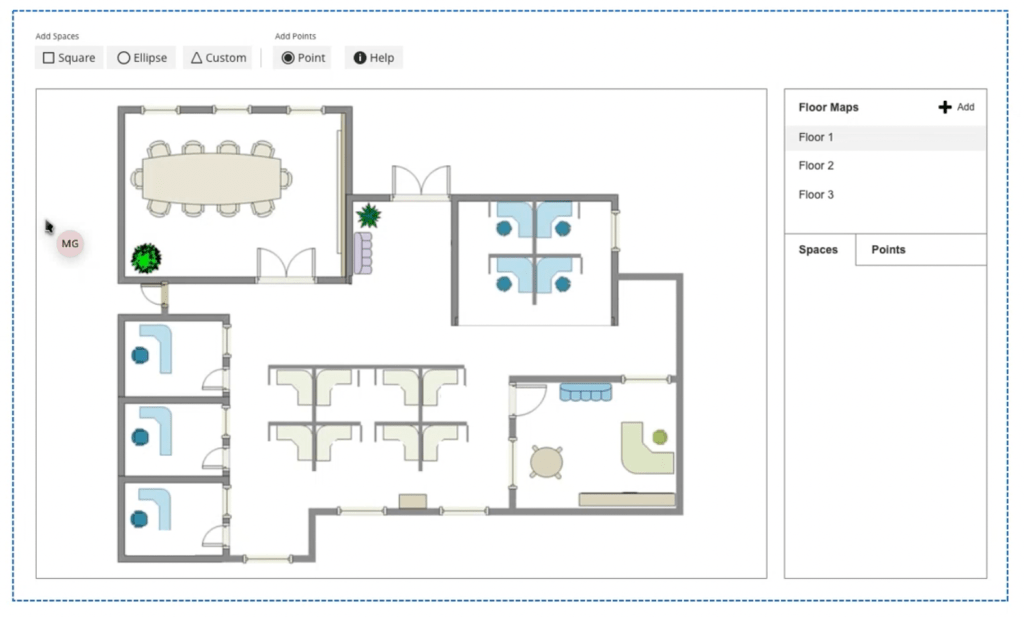
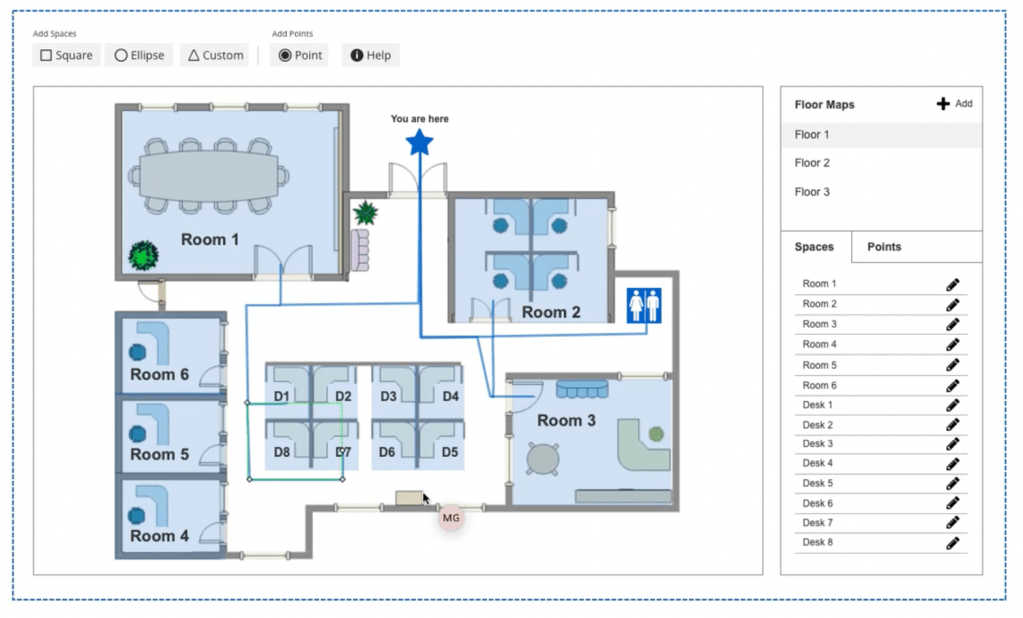
- Document Users’ initial reactions to the UI and individual controls
- Understand Users’ mental model for adding spaces, points and paths
- Observe the discoverability of the help documentation
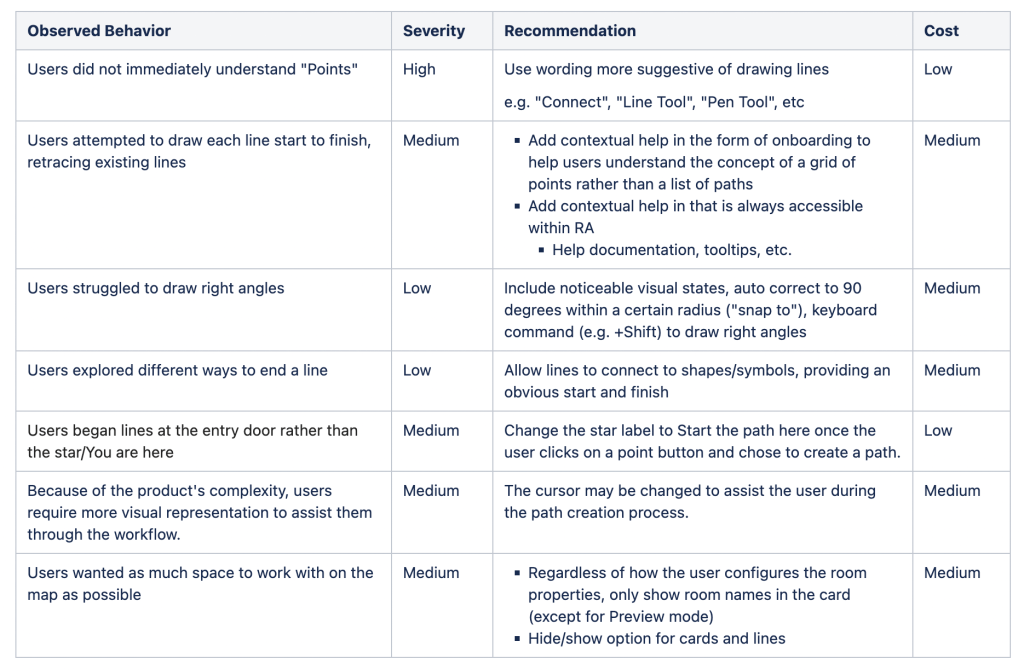
- Uncover any usability issues with the wayfinding functionality
- Understand how Users expect to manage spaces, points and paths moving forward
- Document Users’ understanding of the Lobby Display
Methods
- Conduct a short interview about each User’s experience with room management and/or wayfinding software
- Perform a short, qualitative usability test
- Utilize think out loud protocol to uncover insights and feedback
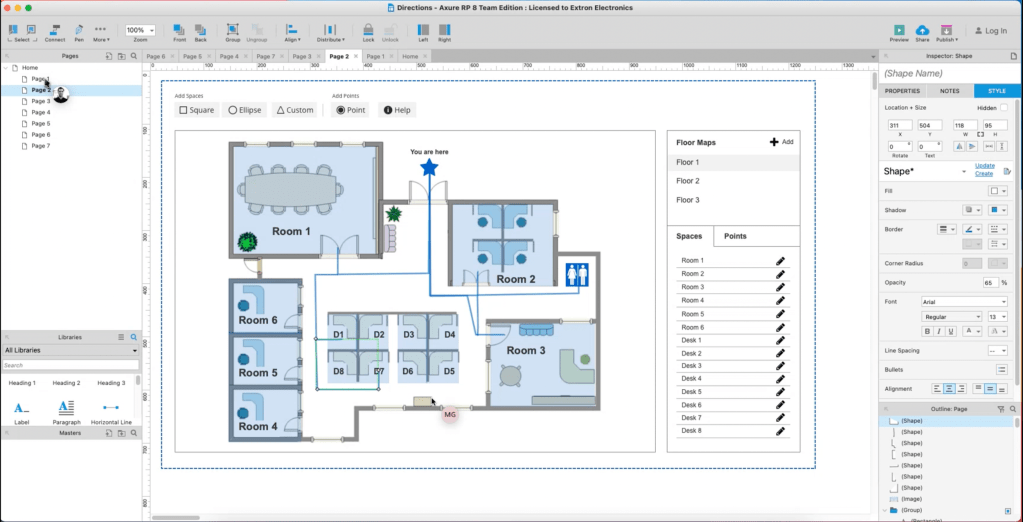
- Simulate functionality via a combination of design software (Axure) and an interactive prototype
- Review Lobby Display designs
Iteration
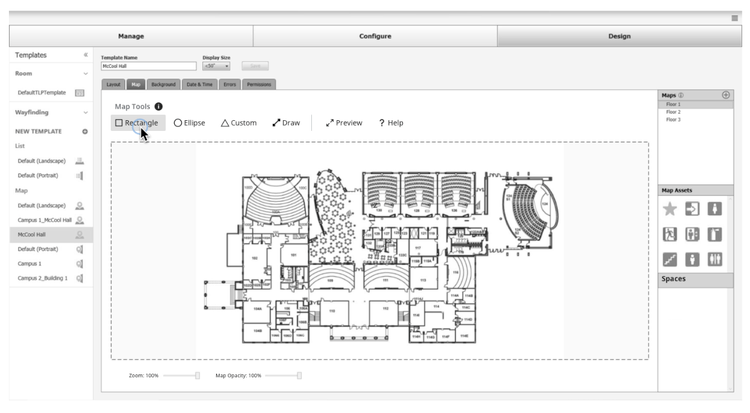
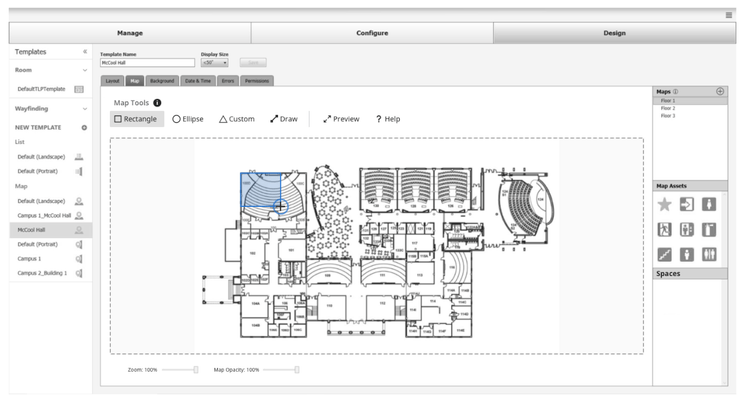
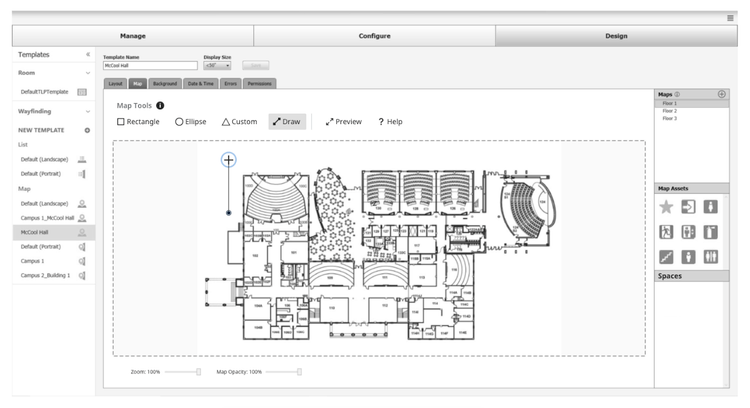
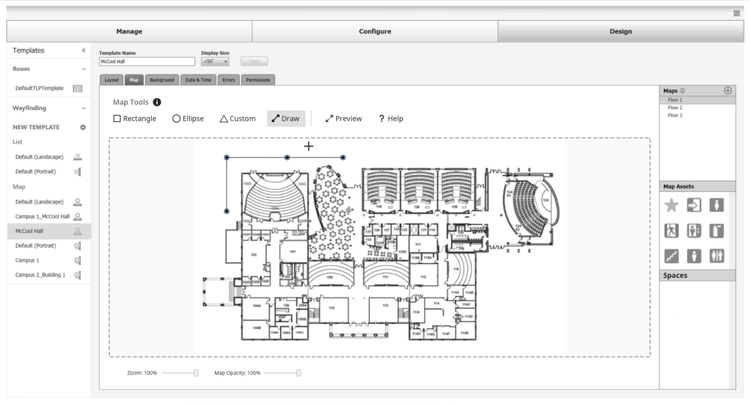
We learned quite a bit from our first round of usability testing and got right back to work. Here are some of the revised workflows:
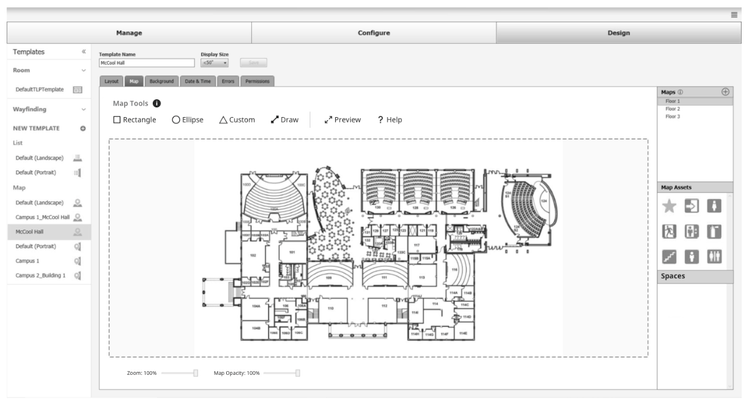
Adding a space
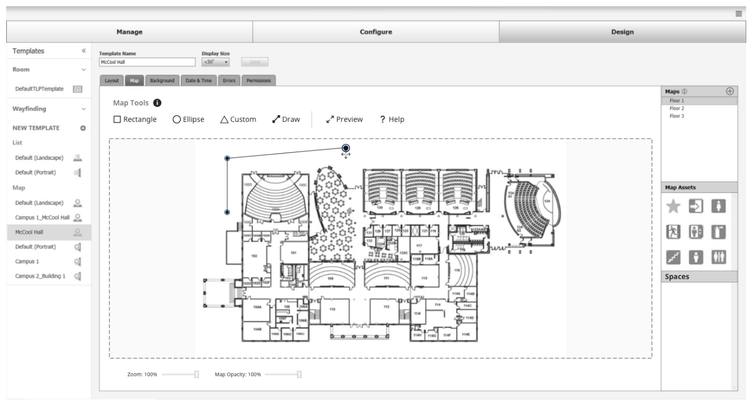
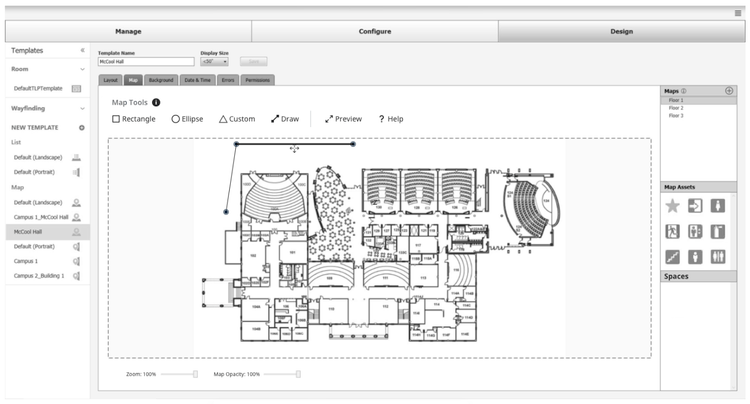
Drawing Routes


Adding Points to Routes


Editing Routes

Visual Design
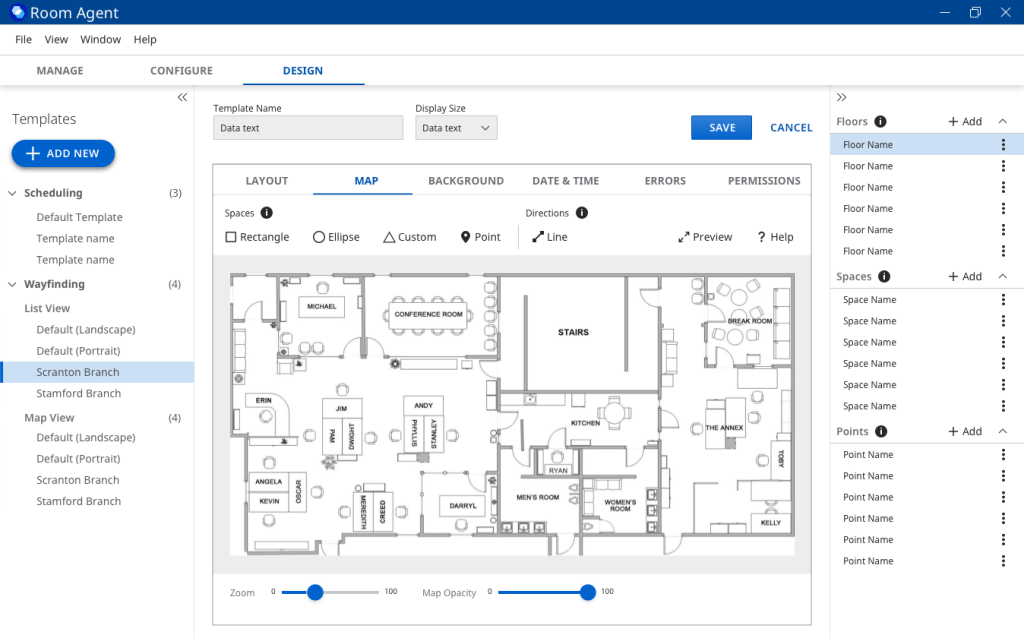
As this project has been in design, we have simultaneously been updating the Room Agent UI to follow our Design System as closely as possible
- Our Design System is comprised of 60+ Angular components
- Room Agent is built on .NET and utilizes Windows controls
What’s Next?
📊 More Usability Testing
🔄 More Iteration
Future Problems to Solve
- Expanding the map view to support a campus environment
- Explore filtering for spaces based on equipment and other criteria
- Explore a web view (e.g. students want to be able to view the library Lobby Display from other places on campus so they can reserve a space BEFORE they walk across campus)
 SHADI ABD